Like most modern TVs, it can be a bit fiddly. This TV uses the EXTREME MEDIA system only, so please don’t press other buttons. The previous guest likely set it to their language, so you might need to adjust a few settings.
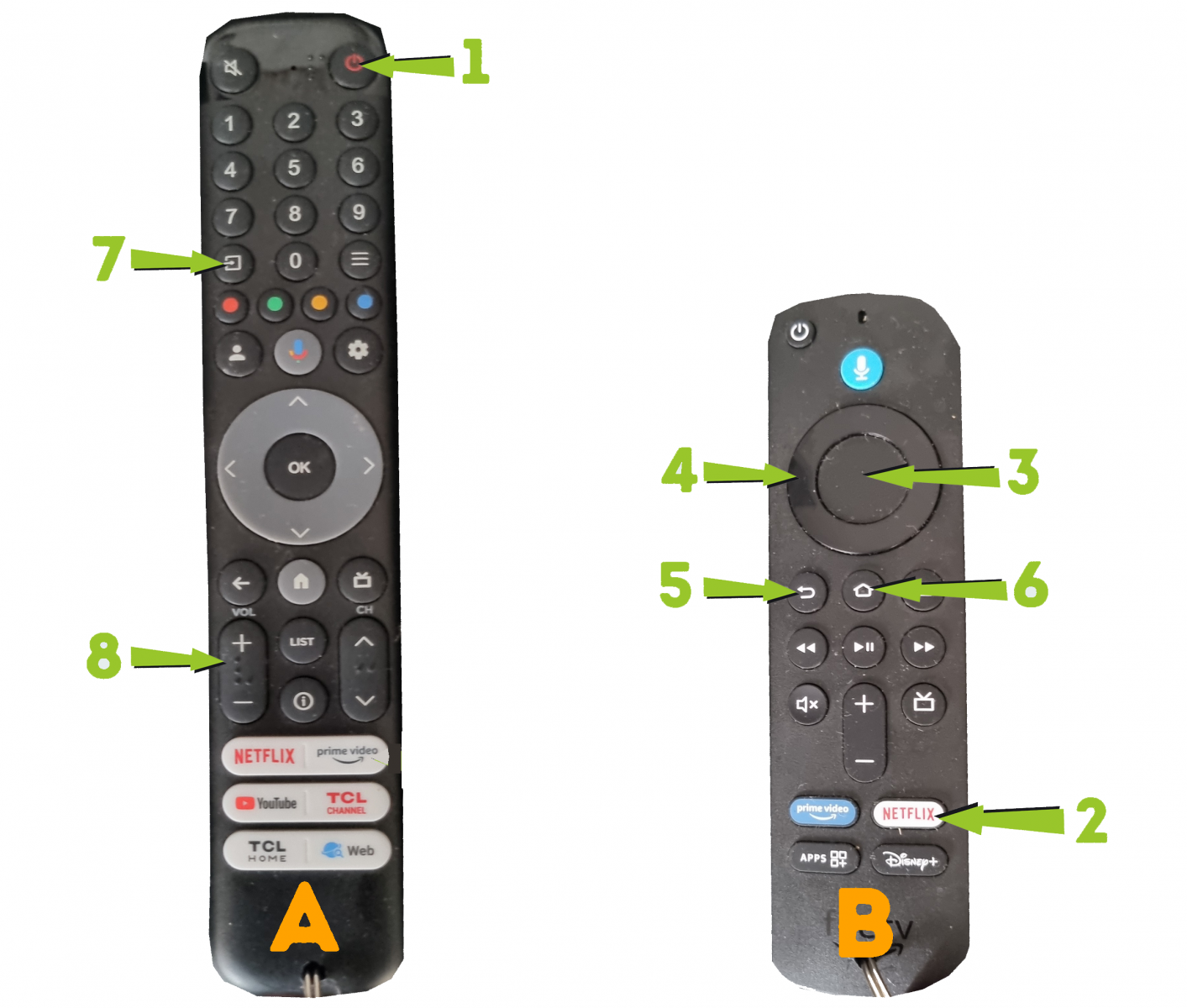
I’ve kept it as simple as possible for you. Press 1 to turn the TV on. Press 2 if you want to connect to your NETFLIX account. Press 3 to use access the multilingual TV
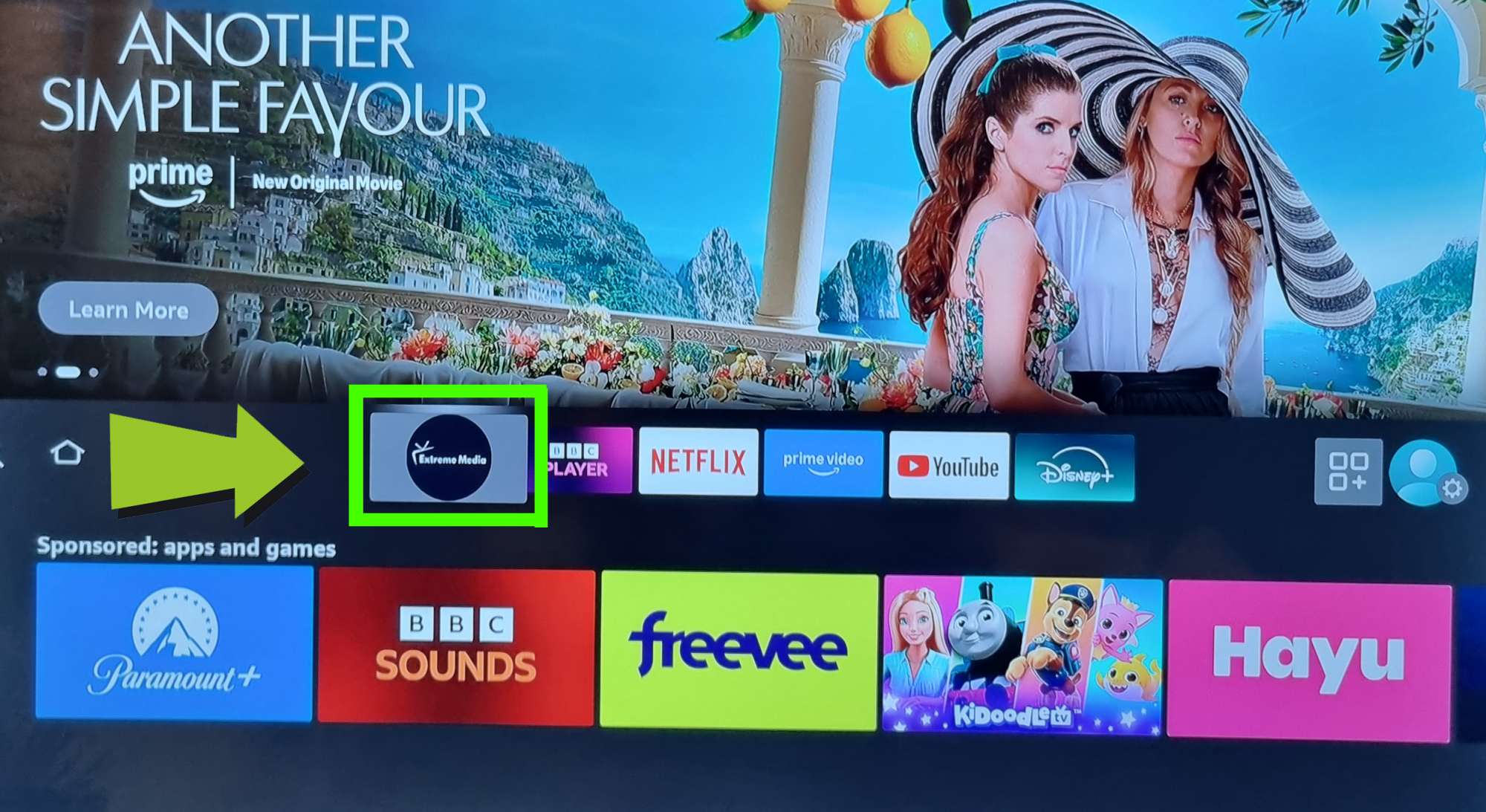
Hopefully you’ll see this screen. If not you need to find this screen with the EXTRMEME MEDIA BUTTON
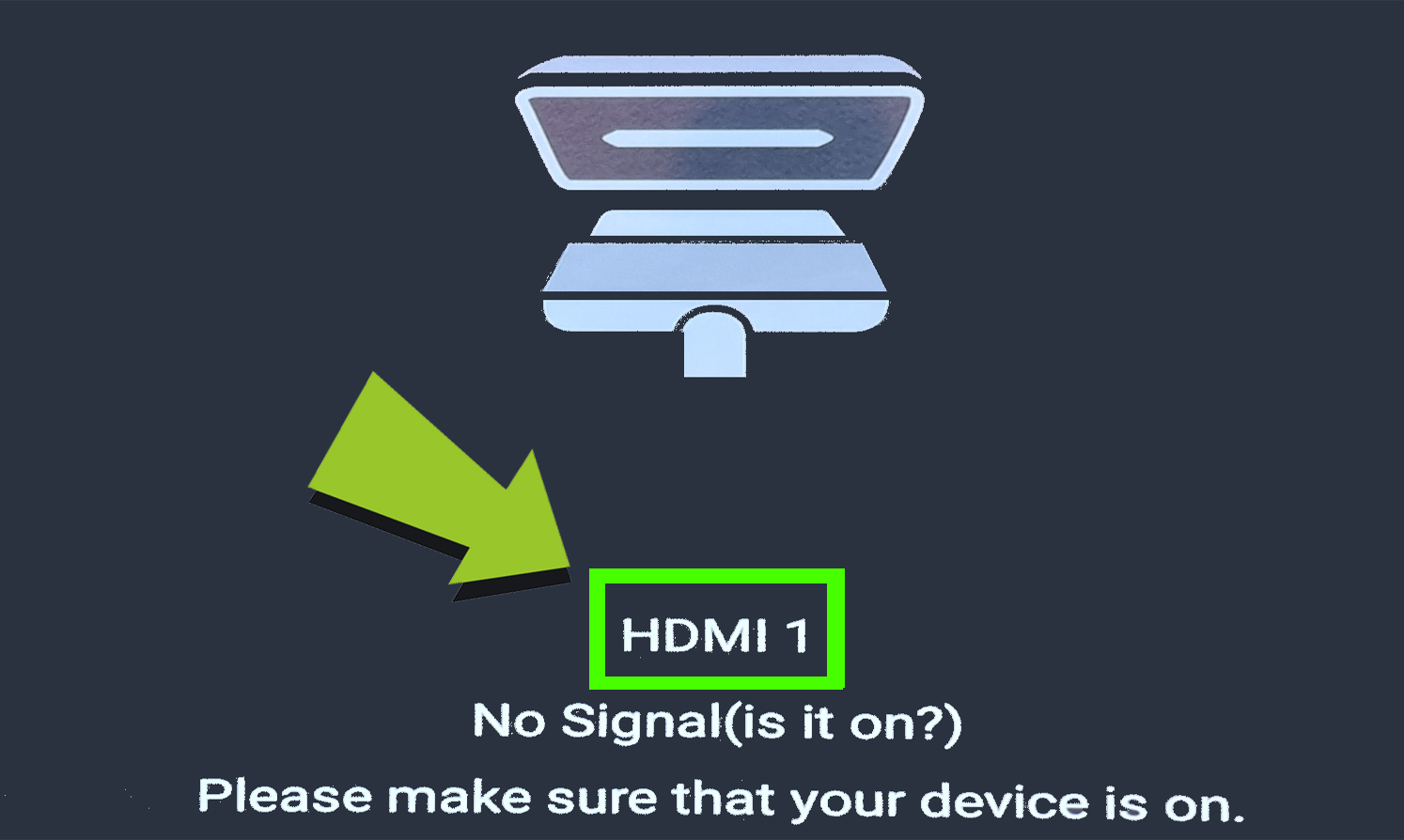
To do this, you need to locate the HDMI 1 screen
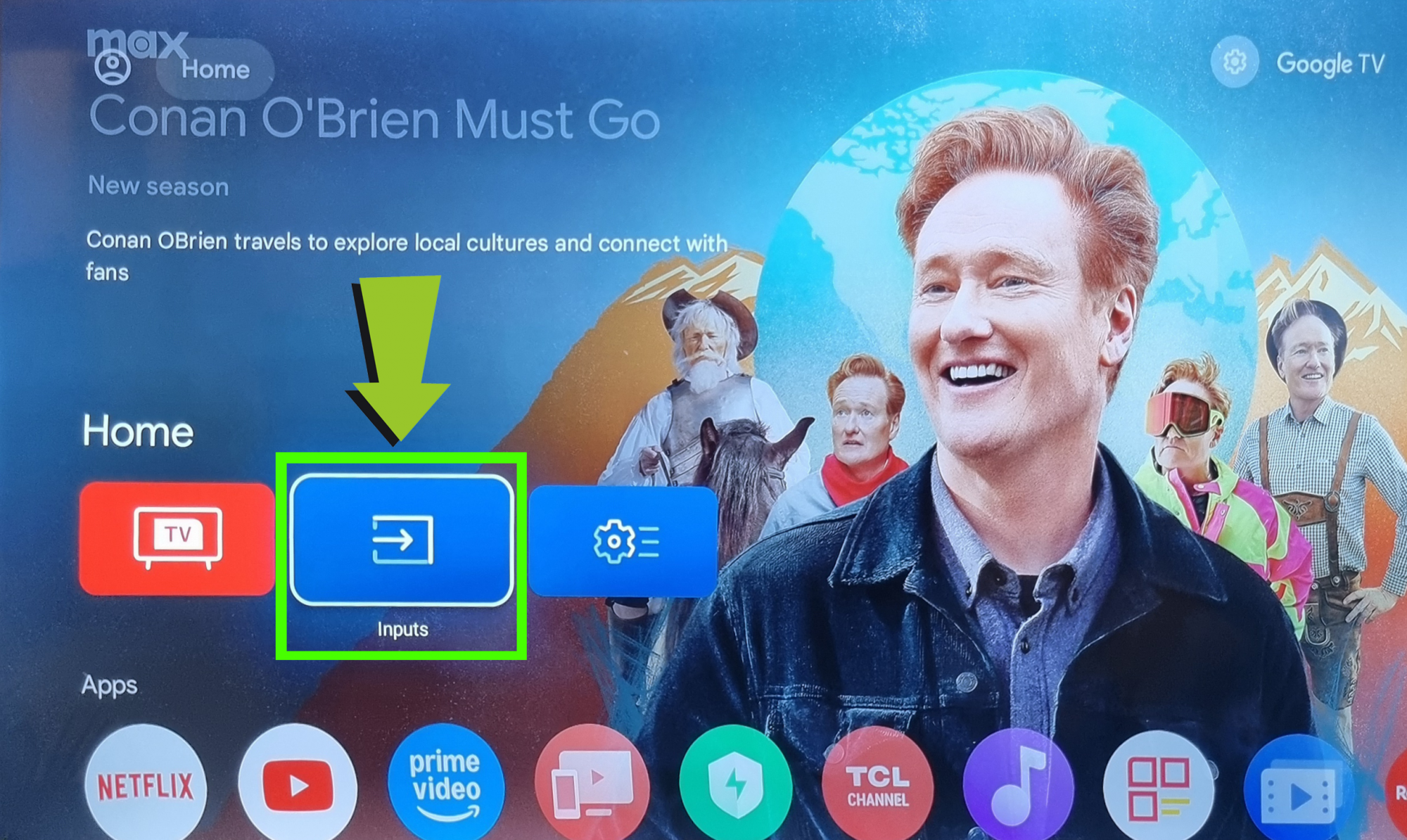
The first step, is click 7 on the remote control, then the screen below will show. Then click INPUTS
Now you should be back to the screen with the EXTREME MEDIA button
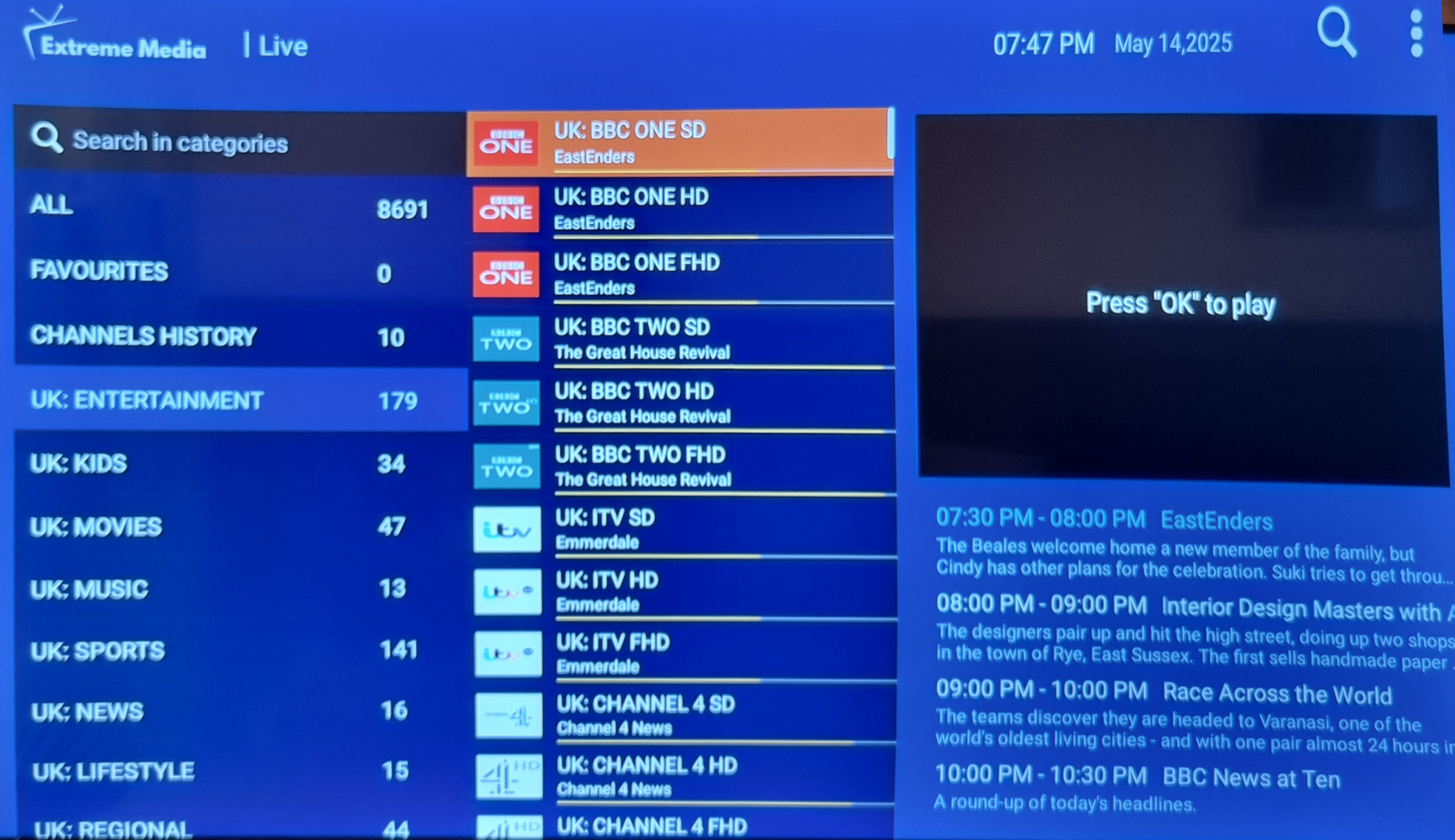
Click EXTREME MEDIA and you will see the screen below. On the remote control use 4 to scroll down to find the language you require
Other important buttons on the remote controls: 5 – goes back one step. 6 – goes home. 8 – volume